Marks (labels, annotations, and current and voltage labels)
‘Mark’ is the general umbrella term manim-eng uses to refer to any textual label applied to a component. That is, a ‘mark’ is
A label;
An annotation;
A current label; or
A voltage label.
It is worth mentioning that ‘mark’ refers only to the text (so in the case of a voltage arrow, it refers only to the label on the arrow and not the arrow itself).
Marks remain upright
Marks all have the property that they will remain upright at all times. Let’s take a look at what this means with a label on a resistor.
In more detail, marks have eight different alignments relative to the thing they’re labelling. These alignments can themselves be split into two subgroups, outlined below.
The cardinal alignments, in which marks are one of directly above, directly below, directly to the left, or directly to the right of something. These are used when the thing being marked is (almost) perfectly horizontal or vertical.
The sub-cardinal alignments, in which marks are on diagonals to their anchors. These are used in all other cases.
As you can see above, marks automatically move these alignments as the thing they’re
marking rotates. The ‘snaps’ visible are the points in which the alignment changes from
one to the next. The default point of crossover between cardinal and sub-cardinal
alignment is 5 degrees from the horizontal/vertical, but this is configurable through
the config_eng.symbol.mark_cardinal_alignment_margin configuration option. The
animation below shows this graphically, with blue and red sectors indicating
cardinal and sub-cardinal alignment regions, respectively.
Setting mark texts
Although different mark types (labels, currents, etc.) are set using their own methods and/or arguments, the thing that is actually passed to these methods or arguments takes two forms, outlined below.
A TeX math mode string, to be rendered using
MathTex. This is the most common and flexible option.A value expression, which is designed specifically for giving physical quantities.
TeX math strings
These are exactly what it says on the tin: you pass a TeX math mode string containing
any maths markup you like, and this will be rendered as you expect. For instance, if we
give a resistor a label of \frac{\bar{V}_{1}}{i_{\mathrm{RMS}}}, we just do so.
Resistor(label=r"\frac{\bar{V}_{1}}{i_{\mathrm{RMS}}}")
Wrapping this in the necessary Manim boilerplate, we see the below.
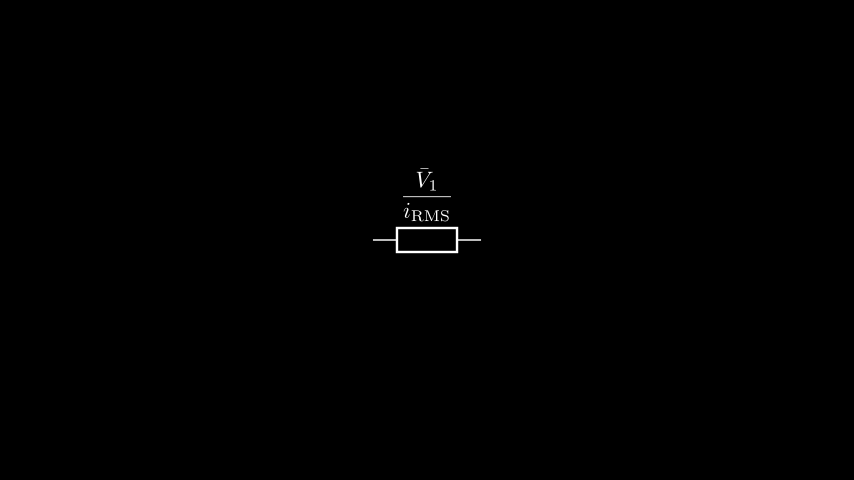
Which is exactly what we expected from our string!
Note
A limitation of the current implementation is that only a single string can be
passed, and the majority of the internal MathTex implementation is abstracted
away.
Value expressions
Tip
This is be a generic usage guide. If you want to look further, the system is defined
in units.
Value expressions allow you to specify a quantity with units in an easy manner. This is best demonstrated through the use of an example.
Resistor(label=10 * KILO * OHM)
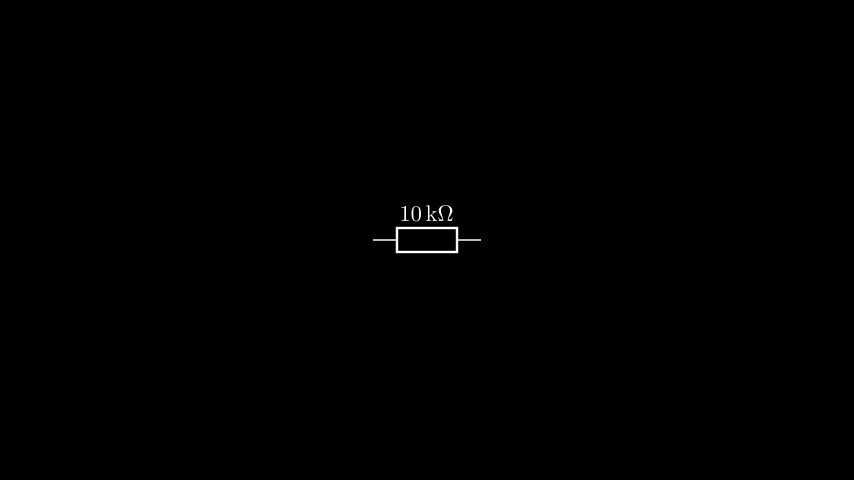
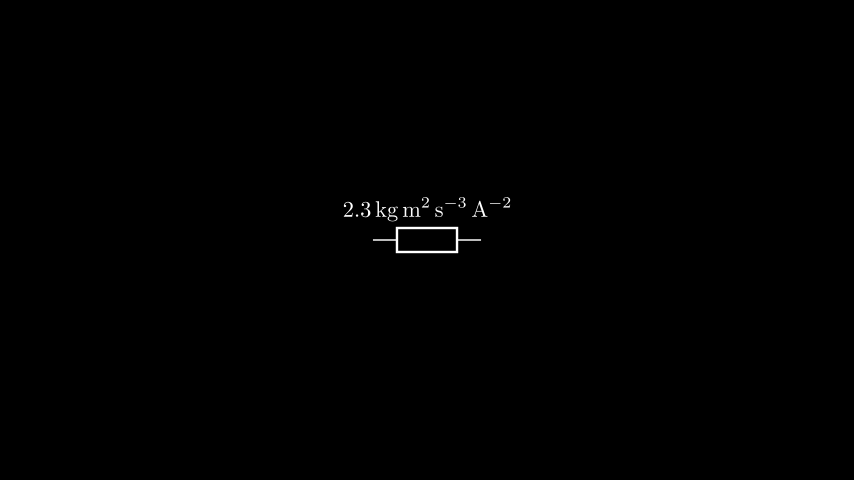
More complicated units are also possible — let’s expand the ohm out to its SI base units.
Resistor(label=2.3 * KILO*GRAM * METRE**2 / SECOND**3 / AMPERE**2)
Warning
Unit expressions are a way to specify the value of a physical quantity in an ergonomic manner. They are not a full unit system, and should not be interpreted as such.
Its internal representation is designed to precisely mirror the form of an expression as it is written. The below highlights a particular quirk of this.
>>> 1 / (KILO * VOLT) == 1 * KILO / VOLT
True
This is the case because in the case of something being ‘per kilovolt’, it would be written kV-1 and not k-1V-1, and so both these expressions are equivalent in terms of how they would be displayed.
A final ‘special’ unit that’s worth mentioning is E: this represents scientific
notation. The following example demonstrates this.
Resistor(label=10 * E(5) * OHM)
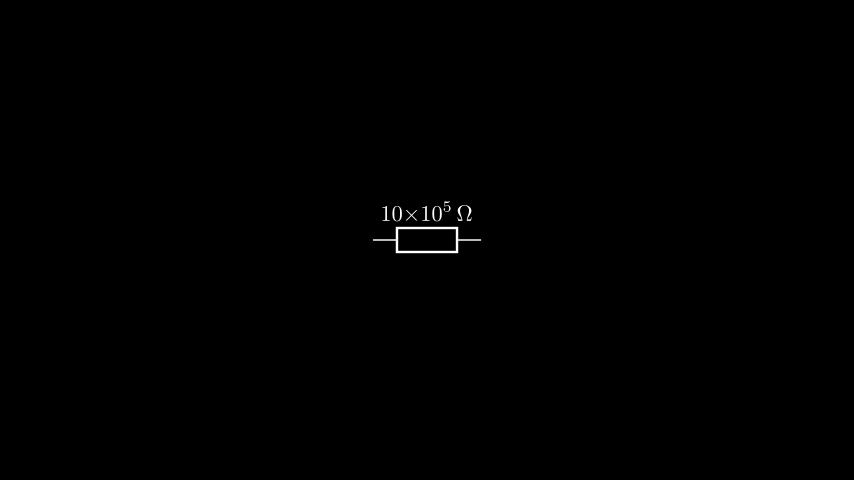
For the full list of available units, take a look at the units API
documentation.